

Your graphics add a nice touch to my presentations and I recently used them for one of my all-hands meetings. Your toolbox adds professionalism to my slides. Instead of using standard clipart.
Claude Jones, Director of Engineer, @Walmartlabs, USA

Your graphics add a nice touch to my presentations and I recently used them for one of my all-hands meetings. Your toolbox adds professionalism to my slides. Instead of using standard clipart.
Claude Jones, Director of Engineer, @Walmartlabs, USA
I needed a fresh look at some of my slides. I've tried to find a way to create a paintbrush effect, to underline, accentuate, add some color and the handwritten markers were just the things. Very easy to use, easy to size, change the color. It was an affordable, perfect solution and I'm happy to recommend it.
Anonymous, US
The crisp, clean look of the graphics, and the fact that it allowed me to easily edit and change the colors to match the template was my main reason for purchasing them.
Brandie Jenkins, E-learning Developer, USA
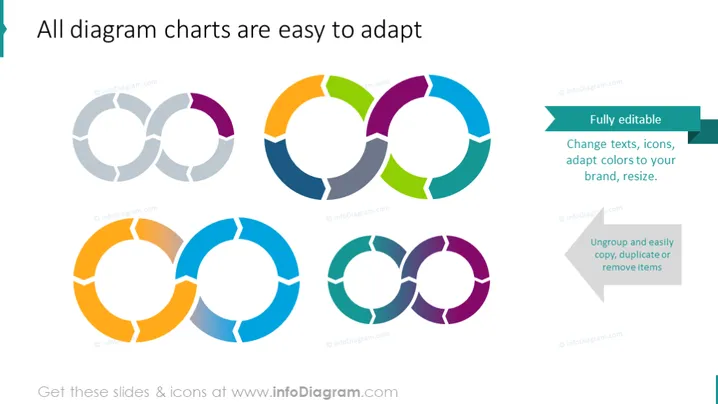
Die Folie zeigt die Flexibilität und Anpassungsfähigkeit verschiedener Tortendiagramme in PowerPoint-Präsentationen. Jedes Tortendiagramm ist in mehrere Abschnitte unterteilt, die ihre Modularität betonen. Der Titel deutet darauf hin, dass diese Diagramme benutzerfreundlich sind und ganz einfach angepasst werden können. Zwei Textkästen heben die Hauptmerkmale hervor: einer, der "Vollständig bearbeitbar" sagt, und der andere "Gruppieren und ganz einfach kopieren, duplizieren oder Elemente entfernen." "Vollständig bearbeitbar" bezieht sich auf die Möglichkeit, Texte, Symbole, Farben und Größen zu ändern, um besser zur Markenbildung oder zum Präsentationsthema zu passen. "Gruppieren und ganz einfach kopieren, duplizieren oder Elemente entfernen" impliziert, dass die Komponenten des Diagramms einzeln bearbeitet werden können, um maßgeschneiderte Informationen darzustellen.



