

Your graphics add a nice touch to my presentations and I recently used them for one of my all-hands meetings. Your toolbox adds professionalism to my slides. Instead of using standard clipart.
Claude Jones, Director of Engineer, @Walmartlabs, USA

Your graphics add a nice touch to my presentations and I recently used them for one of my all-hands meetings. Your toolbox adds professionalism to my slides. Instead of using standard clipart.
Claude Jones, Director of Engineer, @Walmartlabs, USA
I needed a fresh look at some of my slides. I've tried to find a way to create a paintbrush effect, to underline, accentuate, add some color and the handwritten markers were just the things. Very easy to use, easy to size, change the color. It was an affordable, perfect solution and I'm happy to recommend it.
Anonymous, US
The crisp, clean look of the graphics, and the fact that it allowed me to easily edit and change the colors to match the template was my main reason for purchasing them.
Brandie Jenkins, E-learning Developer, USA
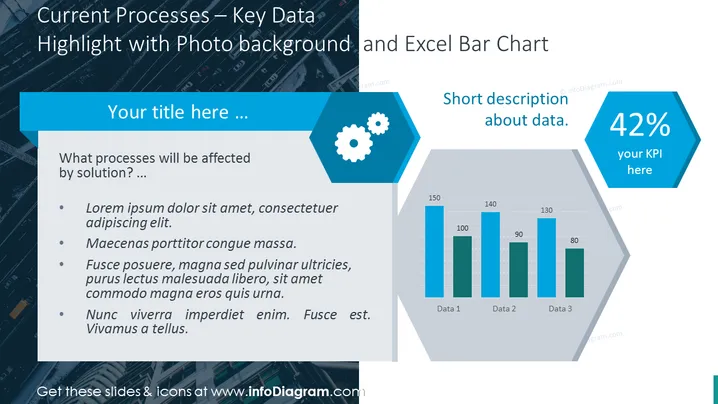
Die PowerPoint-Folie ist darauf ausgelegt, wichtige Daten zu aktuellen Prozessen zu präsentieren, mit besonderem Augenmerk darauf, wie sie von einer Lösung betroffen sein werden. Sie enthält Platzhaltertext, der vorschlägt, die betroffenen Prozesse zu besprechen und diese mit Punkten wie Problemerkennung, potenziellen Verbesserungen und erwarteten Ergebnissen zu erläutern. Die Folie ist so gestaltet, dass Benutzer ihre spezifischen Inhalte in die bereitgestellte Vorlage eingeben können.
Das FolienDesign ist schlank und modern, mit einem FotoHintergrund, der einen dynamischen Look bietet, während die blau-graue Farbgebung ein professionelles Erscheinungsbild aufrechterhält. Die Verwendung von Sechsecken für Symbole und Datenhervorhebungen verleiht der Folie ein geometrisches und strukturiertes Gefühl.



