
Your graphics add a nice touch to my presentations and I recently used them for one of my all-hands meetings. Your toolbox adds professionalism to my slides. Instead of using standard clipart.
Claude Jones, Director of Engineer, @Walmartlabs, USA
Your graphics add a nice touch to my presentations and I recently used them for one of my all-hands meetings. Your toolbox adds professionalism to my slides. Instead of using standard clipart.
Claude Jones, Director of Engineer, @Walmartlabs, USA
I needed a fresh look at some of my slides. I've tried to find a way to create a paintbrush effect, to underline, accentuate, add some color and the handwritten markers were just the things. Very easy to use, easy to size, change the color. It was an affordable, perfect solution and I'm happy to recommend it.
Anonymous, US
The crisp, clean look of the graphics, and the fact that it allowed me to easily edit and change the colors to match the template was my main reason for purchasing them.
Brandie Jenkins, E-learning Developer, USA
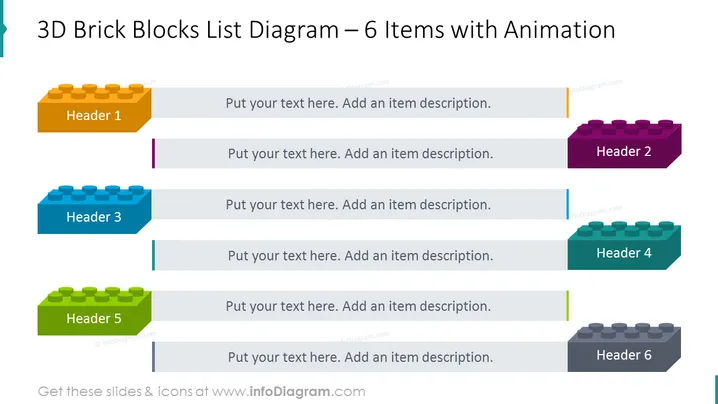
Die PowerPoint-Folie präsentiert ein Listen-Diagramm mit sechs Elementen, von denen jedes durch einen 3D-Ziegelblock dargestellt wird, der an beliebte Konstruktionsspielzeuge erinnert. Jede Blockfarbe entspricht einer Überschrift, was auf eine Kategorisierung oder einen Schritt in einer Sequenz hinweist. Begleitende Textfelder ermutigen den Präsentierenden, spezifische Details zu jedem Element hinzuzufügen. Dieses Format könnte helfen, Stufen in einem Prozess, Kategorien in einer Klassifikation oder Elemente in einer strukturierten Liste zu visualisieren, wobei die Physikalität der Ziegel metaphorisch das Konzept des Bauens oder Konstruierens von Ideen verstärkt.
Die Folie zeichnet sich durch eine einfache, aber effektive visuelle Komposition aus, die lebendige Farben und vertraute Formen nutzt, um den Betrachter zu fesseln. Die 3D-Ziegel dienen als auffällige Elemente, die den Inhalt der Folie in einem leicht verständlichen Format strukturieren.




