

Your graphics add a nice touch to my presentations and I recently used them for one of my all-hands meetings. Your toolbox adds professionalism to my slides. Instead of using standard clipart.
Claude Jones, Director of Engineer, @Walmartlabs, USA

Your graphics add a nice touch to my presentations and I recently used them for one of my all-hands meetings. Your toolbox adds professionalism to my slides. Instead of using standard clipart.
Claude Jones, Director of Engineer, @Walmartlabs, USA
I needed a fresh look at some of my slides. I've tried to find a way to create a paintbrush effect, to underline, accentuate, add some color and the handwritten markers were just the things. Very easy to use, easy to size, change the color. It was an affordable, perfect solution and I'm happy to recommend it.
Anonymous, US
The crisp, clean look of the graphics, and the fact that it allowed me to easily edit and change the colors to match the template was my main reason for purchasing them.
Brandie Jenkins, E-learning Developer, USA
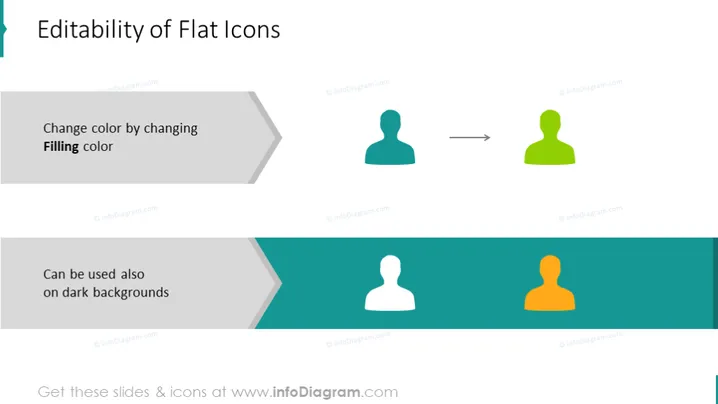
Die Folie handelt von der Anpassungsfähigkeit und Vielseitigkeit flacher Symbole in Präsentationen oder im Design. Sie präsentiert zwei zentrale Aspekte: die Möglichkeit, die Farbe eines flachen Symbols durch Ändern der "Füllfarbe" zu verändern, was eine Transformation von einem blauen zu einem grünen Symbol demonstriert. Das bedeutet, dass die Symbole an das Farbschema einer Präsentation oder Marke angepasst werden können. Darüber hinaus wird angedeutet, dass flache Symbole effektiv auf dunklen Hintergründen verwendet werden können, was einen Wechsel von einem weißen zu einem orangefarbenen Symbol zeigt und darauf hinweist, dass die Symbole ihre Sichtbarkeit gegen unterschiedliche Hintergründe bewahren.
Der gesamte visuelle Stil der Folie ist modern und minimalistisch, mit einem Fokus auf Klarheit und leichtem Verständnis des Konzepts der Symbolbearbeitbarkeit. Die Wahl des flachen Designs für die Symbole und die analoge Farbpalette verleihen ihm ein professionelles und zeitgemäßes Aussehen.



