

Your graphics add a nice touch to my presentations and I recently used them for one of my all-hands meetings. Your toolbox adds professionalism to my slides. Instead of using standard clipart.
Claude Jones, Director of Engineer, @Walmartlabs, USA

Your graphics add a nice touch to my presentations and I recently used them for one of my all-hands meetings. Your toolbox adds professionalism to my slides. Instead of using standard clipart.
Claude Jones, Director of Engineer, @Walmartlabs, USA
I needed a fresh look at some of my slides. I've tried to find a way to create a paintbrush effect, to underline, accentuate, add some color and the handwritten markers were just the things. Very easy to use, easy to size, change the color. It was an affordable, perfect solution and I'm happy to recommend it.
Anonymous, US
The crisp, clean look of the graphics, and the fact that it allowed me to easily edit and change the colors to match the template was my main reason for purchasing them.
Brandie Jenkins, E-learning Developer, USA
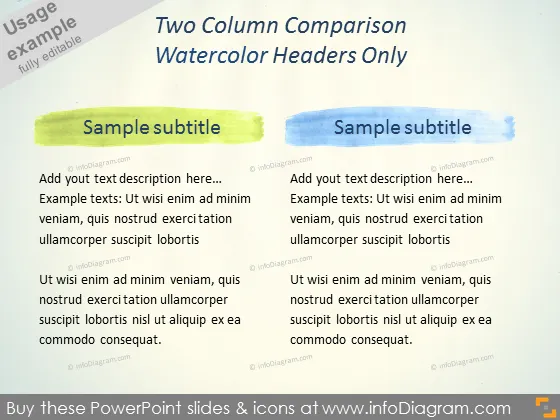
Diese PowerPoint-Folie verfügt über ein Layout mit zwei Spalten, jede mit einer Aquarellüberschrift. Die Kopfzeile der linken Spalte ist in einem Limettengrün gehalten, während die Kopfzeile der rechten Spalte in Himmelblau ist. Diese Spalten sind darauf ausgelegt, zwei Text- oder Themenpaare zu vergleichen. Beispielsweise könnte man die Spalten verwenden, um Vor- und Nachteile, zwei verschiedene Produkte oder zwei gegensätzliche Argumente zu vergleichen. Der Beispieltext ist ein Platzhalter, der häufig in Vorlagen zu finden ist und vorschlägt, wo der Präsentator seinen eigenen Inhalt einfügen sollte, der möglicherweise die Merkmale, Vorteile oder andere vergleichende Punkte zu seinen Themen detailliert.
Der Gesamteindruck der Folie ist kreativ und dennoch einfach, wobei Farbblöcke verwendet werden, um Abschnitte klar zu definieren. Die Aquarellüberschriften verleihen einen künstlerischen Touch, der im Kontrast zu dem ansonsten minimalistischen und professionellen Präsentationsformat steht.



