

Your graphics add a nice touch to my presentations and I recently used them for one of my all-hands meetings. Your toolbox adds professionalism to my slides. Instead of using standard clipart.
Claude Jones, Director of Engineer, @Walmartlabs, USA

Your graphics add a nice touch to my presentations and I recently used them for one of my all-hands meetings. Your toolbox adds professionalism to my slides. Instead of using standard clipart.
Claude Jones, Director of Engineer, @Walmartlabs, USA
I needed a fresh look at some of my slides. I've tried to find a way to create a paintbrush effect, to underline, accentuate, add some color and the handwritten markers were just the things. Very easy to use, easy to size, change the color. It was an affordable, perfect solution and I'm happy to recommend it.
Anonymous, US
The crisp, clean look of the graphics, and the fact that it allowed me to easily edit and change the colors to match the template was my main reason for purchasing them.
Brandie Jenkins, E-learning Developer, USA
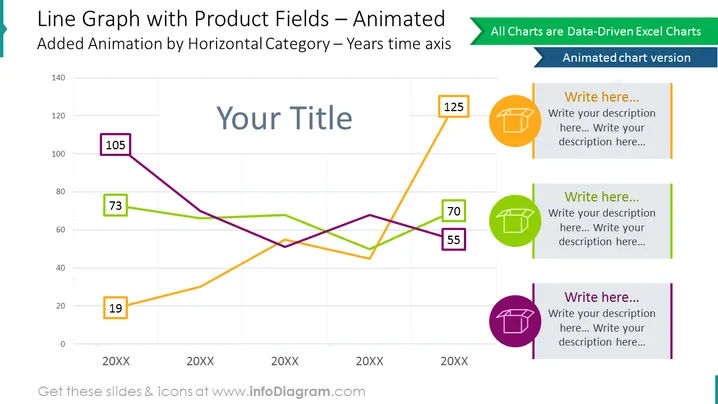
Dieser animierte Slide präsentiert die Trendlinien für drei Artikel über die Jahre. Vergleichen Sie die Leistung in diesem Liniendiagramm ganz einfach, dank lebendiger Kontrastfarben, und fügen Sie Ihre Beschreibungen in den illustrierten Textcontainern auf der Seite hinzu. Markieren Sie die Anfangs- und Endzahlen deutlich im datengestützten Excel-Diagramm.
Dieses Liniendiagramm für Produktfelder mit animiertem Design-Slide ist Teil unserer PPT-Vorlage für datengetriebenen Grafiken von Liniendiagrammen.



