

Your graphics add a nice touch to my presentations and I recently used them for one of my all-hands meetings. Your toolbox adds professionalism to my slides. Instead of using standard clipart.
Claude Jones, Director of Engineer, @Walmartlabs, USA

Your graphics add a nice touch to my presentations and I recently used them for one of my all-hands meetings. Your toolbox adds professionalism to my slides. Instead of using standard clipart.
Claude Jones, Director of Engineer, @Walmartlabs, USA
I needed a fresh look at some of my slides. I've tried to find a way to create a paintbrush effect, to underline, accentuate, add some color and the handwritten markers were just the things. Very easy to use, easy to size, change the color. It was an affordable, perfect solution and I'm happy to recommend it.
Anonymous, US
The crisp, clean look of the graphics, and the fact that it allowed me to easily edit and change the colors to match the template was my main reason for purchasing them.
Brandie Jenkins, E-learning Developer, USA
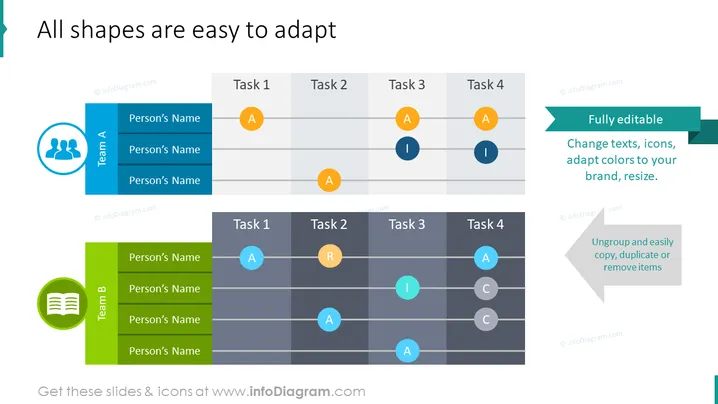
Die Folie zeigt anpassbare Elemente für Teamaufgaben oder Projektmanagementzwecke. Sie präsentiert zwei Hauptkomponenten: Team A und Team B, die jeweils mit einer Liste unbenannter Teammitglieder und einem Gitter zur Verteilung der Aufgaben gekennzeichnet sind, die als 'Aufgabe 1' bis 'Aufgabe 4' bezeichnet sind. Begleitend zu diesen Aufgaben gibt es farbige Kreise mit den Buchstaben 'A', 'I', 'R' und 'C', die vermutlich verschiedene Status oder Rollen wie 'Zugewiesen', 'In Überprüfung', 'Gelöst' usw. symbolisieren. Es wird betont, wie einfach es ist, diese Objekte zu bearbeiten, um unterschiedliche Branding- oder Reporting-Anforderungen zu erfüllen.
Die Folie hat ein sauberes und professionelles Aussehen, nutzt ein konsistentes Farbschema und klare Schriftarten zur Präsentation von Informationen. Die visuellen Elemente sind auf Interaktivität und Anpassungsfähigkeit ausgelegt und konzentrieren sich auf das Aufgabenmanagement.



