
Your graphics add a nice touch to my presentations and I recently used them for one of my all-hands meetings. Your toolbox adds professionalism to my slides. Instead of using standard clipart.
Claude Jones, Director of Engineer, @Walmartlabs, USA
Your graphics add a nice touch to my presentations and I recently used them for one of my all-hands meetings. Your toolbox adds professionalism to my slides. Instead of using standard clipart.
Claude Jones, Director of Engineer, @Walmartlabs, USA
I needed a fresh look at some of my slides. I've tried to find a way to create a paintbrush effect, to underline, accentuate, add some color and the handwritten markers were just the things. Very easy to use, easy to size, change the color. It was an affordable, perfect solution and I'm happy to recommend it.
Anonymous, US
The crisp, clean look of the graphics, and the fact that it allowed me to easily edit and change the colors to match the template was my main reason for purchasing them.
Brandie Jenkins, E-learning Developer, USA
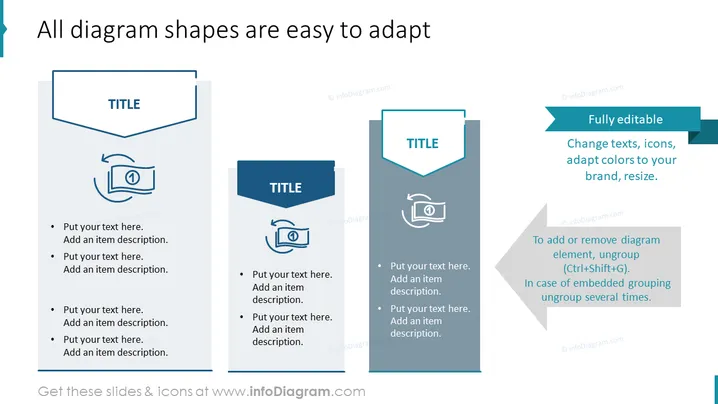
Die PowerPoint-Folie betont die Anpassungsfähigkeit von Diagrammformen in einer Präsentation. Sie präsentiert drei verschiedene Diagrammstile, die vollständig bearbeitet werden können. Jedes Diagramm zeigt einen anderen Designstil mit einem bannerartigen Titelbereich und einem Symbol, das Anpassungen demonstriert, was impliziert, dass der Benutzer Texte, Symbole, Farben und Größen ändern kann. Es enthält auch Platzhalter für zusätzlichen Text, die anzeigen, wo der Benutzer eigenen Inhalt eingeben kann.
Die Folie hat eine saubere und moderne Ästhetik mit einer kühlen Farbpalette. Der Einsatz von Schatten und die Schichtung von Bannern verleihen einen subtilen dreidimensionalen Effekt.




