
Your graphics add a nice touch to my presentations and I recently used them for one of my all-hands meetings. Your toolbox adds professionalism to my slides. Instead of using standard clipart.
Claude Jones, Director of Engineer, @Walmartlabs, USA
Your graphics add a nice touch to my presentations and I recently used them for one of my all-hands meetings. Your toolbox adds professionalism to my slides. Instead of using standard clipart.
Claude Jones, Director of Engineer, @Walmartlabs, USA
I needed a fresh look at some of my slides. I've tried to find a way to create a paintbrush effect, to underline, accentuate, add some color and the handwritten markers were just the things. Very easy to use, easy to size, change the color. It was an affordable, perfect solution and I'm happy to recommend it.
Anonymous, US
The crisp, clean look of the graphics, and the fact that it allowed me to easily edit and change the colors to match the template was my main reason for purchasing them.
Brandie Jenkins, E-learning Developer, USA
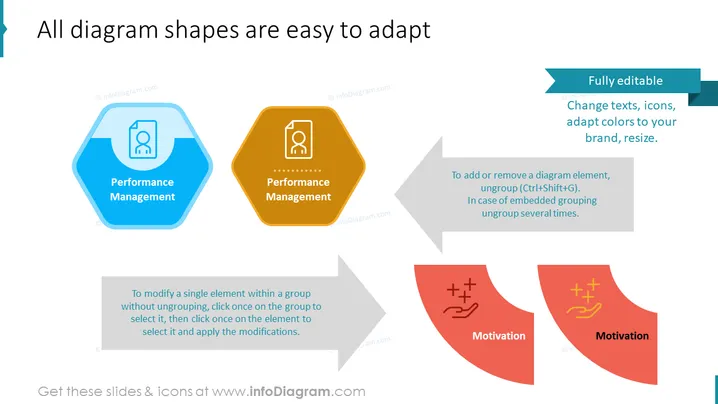
Die Folie zeigt die Anpassungsfähigkeit von Diagrammformen für Präsentationszwecke. Der Text weist darauf hin, dass die Diagrammformen "vollständig bearbeitbar" sind, was Änderungen bei Text, Icons, Farbänderungen zur Anpassung an das Thema einer Marke und Größenänderungen ermöglicht. Anleitungen werden bereitgestellt, wie man ein einzelnes Element innerhalb einer Gruppe ändern kann, ohne die Gruppe aufzulösen, und wie man Elemente hinzufügt oder entfernt, wobei Tastenkombinationen zum Auflösen von Gruppen angegeben werden. Die Konzepte "Leistungsmanagement" und "Motivation" werden als Beispiele präsentiert, wobei jedes in Hexagon- und Pfeilformen eingebettet ist, was darauf hindeutet, dass Diagrammkomponenten für verschiedene Präsentationsbedürfnisse angepasst werden können.




