

Your graphics add a nice touch to my presentations and I recently used them for one of my all-hands meetings. Your toolbox adds professionalism to my slides. Instead of using standard clipart.
Claude Jones, Director of Engineer, @Walmartlabs, USA

Your graphics add a nice touch to my presentations and I recently used them for one of my all-hands meetings. Your toolbox adds professionalism to my slides. Instead of using standard clipart.
Claude Jones, Director of Engineer, @Walmartlabs, USA
I needed a fresh look at some of my slides. I've tried to find a way to create a paintbrush effect, to underline, accentuate, add some color and the handwritten markers were just the things. Very easy to use, easy to size, change the color. It was an affordable, perfect solution and I'm happy to recommend it.
Anonymous, US
The crisp, clean look of the graphics, and the fact that it allowed me to easily edit and change the colors to match the template was my main reason for purchasing them.
Brandie Jenkins, E-learning Developer, USA
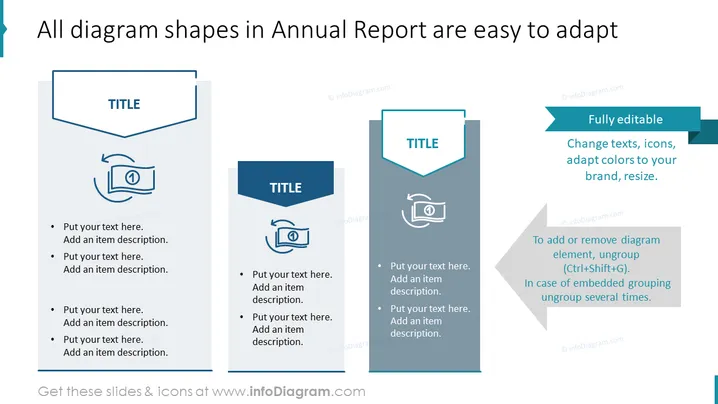
Die PowerPoint-Folie demonstriert die Anpassungsfähigkeit von Diagrammformen in einem Jahresbericht und hebt deren vollständige Editierbarkeit hervor. Die Folie enthält drei verschiedene Abschnitte, von denen jeder einen anderen Diagrammstil präsentiert. Jeder Abschnitt enthält einen Platzhalter für den Titel und ein Textfeld mit Aufzählungspunkten, die Plätze für benutzerdefinierte Beschreibungen vorschlagen. Erwähnte Schlüsselfunktionen sind Änderungen in Text, Symbolen, Farben und die Möglichkeit, die Größe zu ändern, was die Flexibilität zur Personalisierung der Diagramme unterstreicht, um einem bestimmten Branding-Stil oder Präsentationsbedarf gerecht zu werden.
Die Gesamterscheinung ist sauber, organisiert und geschäftsmäßig, mit einem Fokus auf Funktionalität und Anpassungsfähigkeit. Die Konsistenz in den Designelementen über alle drei Blöcke hinweg deutet auf einen einheitlichen Präsentationsstil hin.



