

Your graphics add a nice touch to my presentations and I recently used them for one of my all-hands meetings. Your toolbox adds professionalism to my slides. Instead of using standard clipart.
Claude Jones, Director of Engineer, @Walmartlabs, USA

Your graphics add a nice touch to my presentations and I recently used them for one of my all-hands meetings. Your toolbox adds professionalism to my slides. Instead of using standard clipart.
Claude Jones, Director of Engineer, @Walmartlabs, USA
I needed a fresh look at some of my slides. I've tried to find a way to create a paintbrush effect, to underline, accentuate, add some color and the handwritten markers were just the things. Very easy to use, easy to size, change the color. It was an affordable, perfect solution and I'm happy to recommend it.
Anonymous, US
The crisp, clean look of the graphics, and the fact that it allowed me to easily edit and change the colors to match the template was my main reason for purchasing them.
Brandie Jenkins, E-learning Developer, USA
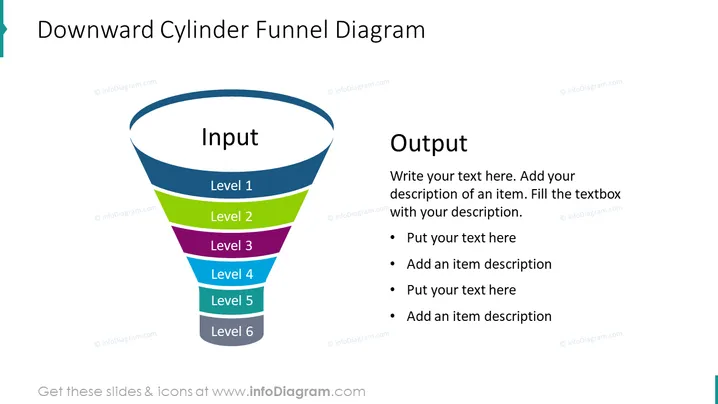
Die Folie präsentiert ein "Abwärtszylinder-Trichterdiagramm", das eine grafische Darstellung eines Prozesses ist, der Eingaben durch verschiedene Ebenen (Ebene 1 bis Ebene 6) filtert, um ein Ergebnis zu produzieren. Jede Ebene stellt wahrscheinlich einen Schritt oder eine Phase dar, wobei bestimmte Kriterien oder Aktionen angewendet werden, um die Eingaben schrittweise zu verfeinern und das gewünschte Ergebnis zu erreichen. Das Diagramm könnte verwendet werden, um Prozesse wie Verkaufstrichter, Entscheidungsfindung oder Projektphasen zu beschreiben. Auf der rechten Seite gibt es Platz für erläuternden Text, um jede Ebene zu beschreiben, wodurch der Präsentator die Inhalte klar und informativ für das Publikum gestalten kann.



