
Bewertungen
Your graphics add a nice touch to my presentations and I recently used them for one of my all-hands meetings. Your toolbox adds professionalism to my slides. Instead of using standard clipart.
I needed a fresh look at some of my slides. I've tried to find a way to create a paintbrush effect, to underline, accentuate, add some color and the handwritten markers were just the things. Very easy to use, easy to size, change the color. It was an affordable, perfect solution and I'm happy to recommend it.
The crisp, clean look of the graphics, and the fact that it allowed me to easily edit and change the colors to match the template was my main reason for purchasing them.
Beschreibung
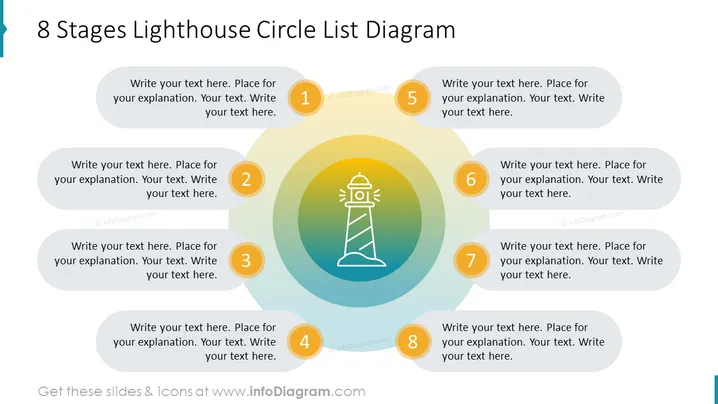
8-Stufen-Leuchtturm-Kreislisten-Diagramm-Folie
Dies ist ein universelles PowerPoint-Diagramm einer Kreisauflistung, das mit einem Leuchtturmsymbol illustriert ist. Es kann verwendet werden, um jedes Thema im Zusammenhang mit Führung, Zielen, Strategie oder Vision zu spezifizieren. Passen Sie die Anzahl der Listenelemente an Ihre Bedürfnisse an und erstellen Sie schnell eine starke visuelle Folie.
Was Enthält Diese 8-Stufen-Leuchtturm-Kreislisten-Diagramm-Folie?
- Buntes zentrales Element aus Kreiselementen und einem Leuchtturm-Icon
- Gelbe Kreise mit Zahlen der Stufen
- Bearbeitbare hellgraue runde Textcontainer
Diese 8-Stufen-Leuchtturm-Kreislisten-Diagramm-Folie ist Teil unserer Leuchtturm-Infografiken für PowerPoint-Vorlagen.
Wie bearbeiten
Text und Farben bearbeiten

Diagramm erweitern/kürzen

Ersetzen von Symbolen in infoDiagram PPT


