

Your graphics add a nice touch to my presentations and I recently used them for one of my all-hands meetings. Your toolbox adds professionalism to my slides. Instead of using standard clipart.
Claude Jones, Director of Engineer, @Walmartlabs, USA

Your graphics add a nice touch to my presentations and I recently used them for one of my all-hands meetings. Your toolbox adds professionalism to my slides. Instead of using standard clipart.
Claude Jones, Director of Engineer, @Walmartlabs, USA
I needed a fresh look at some of my slides. I've tried to find a way to create a paintbrush effect, to underline, accentuate, add some color and the handwritten markers were just the things. Very easy to use, easy to size, change the color. It was an affordable, perfect solution and I'm happy to recommend it.
Anonymous, US
The crisp, clean look of the graphics, and the fact that it allowed me to easily edit and change the colors to match the template was my main reason for purchasing them.
Brandie Jenkins, E-learning Developer, USA
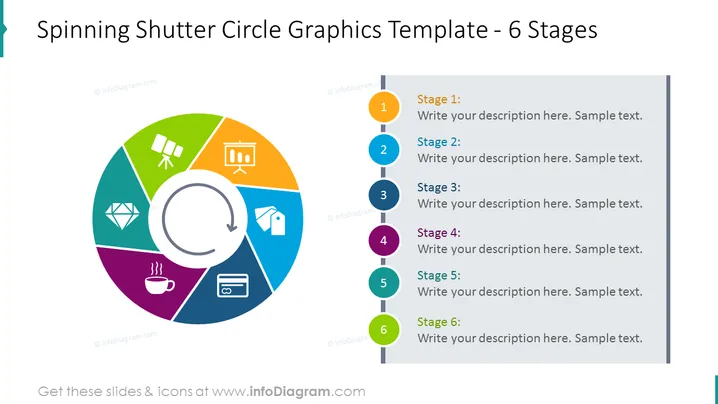
Diese PowerPoint-Folie präsentiert einen kreisförmigen, sechsstufigen Prozess, wobei jede Stufe mit 'Stufe 1' bis 'Stufe 6' beschriftet ist und das Publikum einlädt, ihre Beschreibungen einzufügen. Diese Stufen sind visuell mit einem zentralen rotierenden Blenden-Kreisgrafik verbunden. Die Stufen deuten auf einen zyklischen Prozess hin, der für verschiedene Geschäfts- oder Bildungsmodelle verwendet werden könnte, bei denen Prozesse oder Konzepte in einer Reihenfolge erklärt werden müssen oder wo Interkonnektivität und Zyklizität wichtige Themen sind.
Die Folie ist hellfarben, und ihr Design ist sauber und modern, mit einer klaren visuellen Abgrenzung zwischen den Grafiken und den Textbereichen. Die Symbole sind einfach und universell erkennbar. Der Gesamteindruck ist professionell und gut geeignet für zeitgenössische Unternehmenspräsentationen.



