

Your graphics add a nice touch to my presentations and I recently used them for one of my all-hands meetings. Your toolbox adds professionalism to my slides. Instead of using standard clipart.
Claude Jones, Director of Engineer, @Walmartlabs, USA

Your graphics add a nice touch to my presentations and I recently used them for one of my all-hands meetings. Your toolbox adds professionalism to my slides. Instead of using standard clipart.
Claude Jones, Director of Engineer, @Walmartlabs, USA
I needed a fresh look at some of my slides. I've tried to find a way to create a paintbrush effect, to underline, accentuate, add some color and the handwritten markers were just the things. Very easy to use, easy to size, change the color. It was an affordable, perfect solution and I'm happy to recommend it.
Anonymous, US
The crisp, clean look of the graphics, and the fact that it allowed me to easily edit and change the colors to match the template was my main reason for purchasing them.
Brandie Jenkins, E-learning Developer, USA
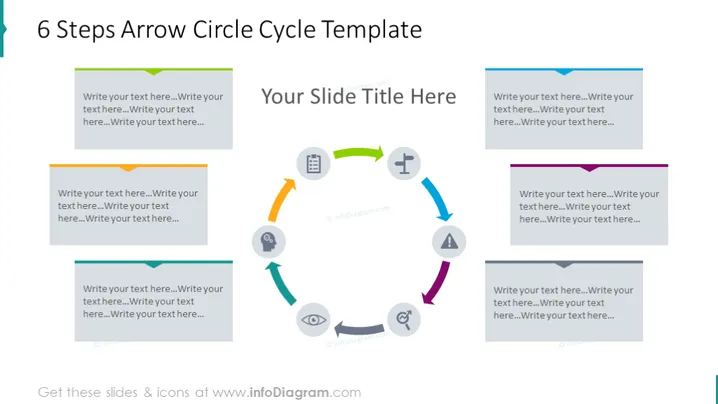
Diese PowerPoint-Folie veranschaulicht eine "6 Schritte Pfeil-Kreis-Zyklus Vorlage", die ein kreisförmiges Prozessdiagramm darstellt, das Fortschritte oder Zyklen in einem Prozess anzeigt. Der Zyklus besteht aus sechs einzelnen, pfeilförmigen Blöcken, die jeweils einem Schritt im Prozess entsprechen. Diese Blöcke sind so gestaltet, dass Text eingegeben werden kann, um wahrscheinlich jeden Schritt des Prozesses zu beschreiben. Zum Beispiel deutet 'Schreibe deinen Text hier...' darauf hin, dass jeder Block mit spezifischen Beschreibungen aktualisiert werden kann, die für die Bedürfnisse des Präsentierenden relevant sind, wie z.B. die Definition von Phasen in einem Geschäftsplan, Schritten in einem Projektlebenszyklus oder Stufen in der Problemlösung.
Das Gesamterscheinungsbild der Folie ist modern und klar, mit einem Farbschema, das zwischen kühlen und warmen Tönen wechselt. Das Design der Folie ist visuell ausgewogen und nutzt Farbe, Form und Icons, um die Betrachter durch den Inhalt zu lenken.



