
Your graphics add a nice touch to my presentations and I recently used them for one of my all-hands meetings. Your toolbox adds professionalism to my slides. Instead of using standard clipart.
Claude Jones, Director of Engineer, @Walmartlabs, USA
Your graphics add a nice touch to my presentations and I recently used them for one of my all-hands meetings. Your toolbox adds professionalism to my slides. Instead of using standard clipart.
Claude Jones, Director of Engineer, @Walmartlabs, USA
I needed a fresh look at some of my slides. I've tried to find a way to create a paintbrush effect, to underline, accentuate, add some color and the handwritten markers were just the things. Very easy to use, easy to size, change the color. It was an affordable, perfect solution and I'm happy to recommend it.
Anonymous, US
The crisp, clean look of the graphics, and the fact that it allowed me to easily edit and change the colors to match the template was my main reason for purchasing them.
Brandie Jenkins, E-learning Developer, USA
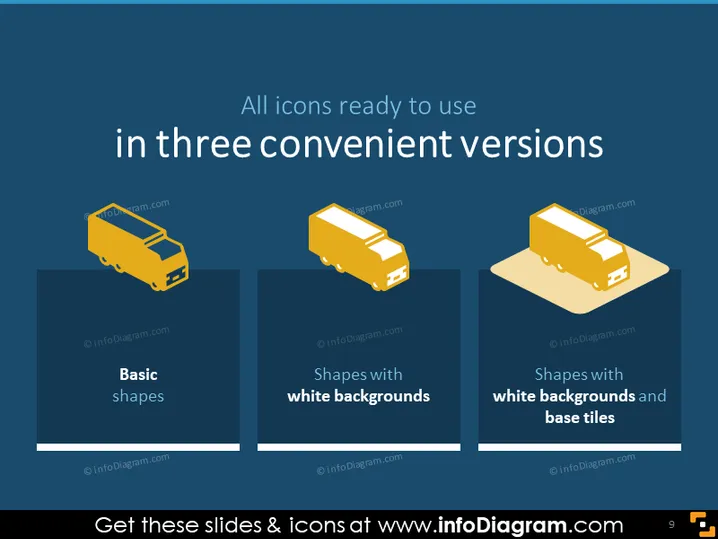
Die PowerPoint-Folie präsentiert drei Kategorien von Icon-Designs, die jeweils durch ein identisches Truck-Icon repräsentiert werden, um die Stilvariationen zu demonstrieren. "Grundformen" repräsentiert wahrscheinlich die einfachste Form des Icon-Designs mit minimaler Gestaltung. "Formen mit weißen Hintergründen" deutet darauf hin, dass Icons einen definierten Rand gegen verschiedene Hintergründe haben, was die Sichtbarkeit erhöht. "Formen mit weißen Hintergründen und Basistafeln" zeigt an, dass ein zusätzliches Element für Tiefe oder zur Hervorhebung des Icons hinzugefügt wird, möglicherweise aus ästhetischen oder funktionalen Gründen, wie z.B. Gruppierung.
Die Folie demonstriert ein minimalistische Design mit starkem visuellem Kontrast, das eine klare Kommunikation der verschiedenen Icon-Stile ermöglicht. Die Einheitlichkeit der Icon-Formen sorgt dafür, dass der Fokus auf den verschiedenen Stilen und nicht auf den Icons selbst liegt.




