

Your graphics add a nice touch to my presentations and I recently used them for one of my all-hands meetings. Your toolbox adds professionalism to my slides. Instead of using standard clipart.
Claude Jones, Director of Engineer, @Walmartlabs, USA

Your graphics add a nice touch to my presentations and I recently used them for one of my all-hands meetings. Your toolbox adds professionalism to my slides. Instead of using standard clipart.
Claude Jones, Director of Engineer, @Walmartlabs, USA
I needed a fresh look at some of my slides. I've tried to find a way to create a paintbrush effect, to underline, accentuate, add some color and the handwritten markers were just the things. Very easy to use, easy to size, change the color. It was an affordable, perfect solution and I'm happy to recommend it.
Anonymous, US
The crisp, clean look of the graphics, and the fact that it allowed me to easily edit and change the colors to match the template was my main reason for purchasing them.
Brandie Jenkins, E-learning Developer, USA
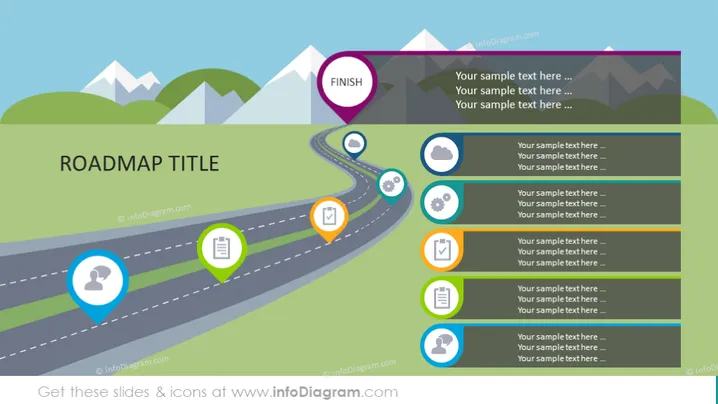
Die Folie zeigt eine visuelle Roadmap mit bunten Markierungspunkten und Symbolen, die verschiedene Meilensteine oder Phasen entlang des Pfades darstellen. Jeder Markierungspunkt ist mit einem Textfeld verbunden, das Erklärungen oder Details zu diesem Meilenstein angibt. Die Roadmap beginnt in der unteren linken Ecke und windet sich bis zur oberen rechten Ecke, endend mit einem 'Fertig'-Schild, das ein Ziel oder Endpunkt anzeigt und auf einen Fortschritt oder den Zeitrahmen eines Projekts oder einer Strategie hinweist.
Das visuelle Design erweckt den Eindruck einer Reise oder eines Prozesses mit klaren Schritten auf dem Weg. Die Symbole kategorisieren visuell die Phasen oder Aufgaben, und die kurvenreiche Straße verleiht ein Gefühl von Bewegung und Fortschritt durch die Phasen.



