
Your graphics add a nice touch to my presentations and I recently used them for one of my all-hands meetings. Your toolbox adds professionalism to my slides. Instead of using standard clipart.
Claude Jones, Director of Engineer, @Walmartlabs, USA
Your graphics add a nice touch to my presentations and I recently used them for one of my all-hands meetings. Your toolbox adds professionalism to my slides. Instead of using standard clipart.
Claude Jones, Director of Engineer, @Walmartlabs, USA
I needed a fresh look at some of my slides. I've tried to find a way to create a paintbrush effect, to underline, accentuate, add some color and the handwritten markers were just the things. Very easy to use, easy to size, change the color. It was an affordable, perfect solution and I'm happy to recommend it.
Anonymous, US
The crisp, clean look of the graphics, and the fact that it allowed me to easily edit and change the colors to match the template was my main reason for purchasing them.
Brandie Jenkins, E-learning Developer, USA
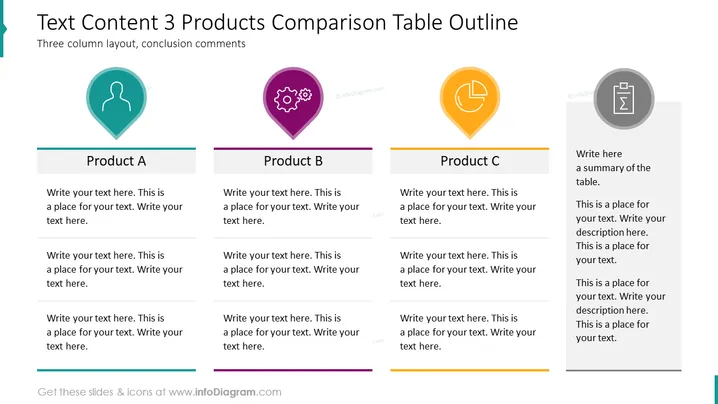
Diese PowerPoint-Folie trägt den Titel "Textinhalt 3 Produkte Vergleichstabelle Gliederung" und verfügt über ein Layout mit drei Spalten zum Vergleichen von drei verschiedenen Produkten, die "Produkt A", "Produkt B" und "Produkt C" genannt werden. Jede Spalte bietet Platz für ein Symbol, einen Platzhalter für den Produkttitel und drei separate Textbereiche für detaillierte Beschreibungen oder Schlüsselpunkte zu jedem Produkt. Rechts gibt es einen speziellen Abschnitt für Schlussfolgerungen oder Zusammenfassungen zu den verglichenen Produkten.
Das gesamte Erscheinungsbild ist sauber und modern, mit bunten Symbolen und Textbereichen, die sofort die Aufmerksamkeit auf die Beschreibung jedes Produkts lenken. Die Verwendung von Standortpins für die Symbole fügt ein subtiler Thema des Auffindens von Merkmalen oder Standorten hinzu, die mit jedem Produkt verbunden sind.




