

Your graphics add a nice touch to my presentations and I recently used them for one of my all-hands meetings. Your toolbox adds professionalism to my slides. Instead of using standard clipart.
Claude Jones, Director of Engineer, @Walmartlabs, USA

Your graphics add a nice touch to my presentations and I recently used them for one of my all-hands meetings. Your toolbox adds professionalism to my slides. Instead of using standard clipart.
Claude Jones, Director of Engineer, @Walmartlabs, USA
I needed a fresh look at some of my slides. I've tried to find a way to create a paintbrush effect, to underline, accentuate, add some color and the handwritten markers were just the things. Very easy to use, easy to size, change the color. It was an affordable, perfect solution and I'm happy to recommend it.
Anonymous, US
The crisp, clean look of the graphics, and the fact that it allowed me to easily edit and change the colors to match the template was my main reason for purchasing them.
Brandie Jenkins, E-learning Developer, USA
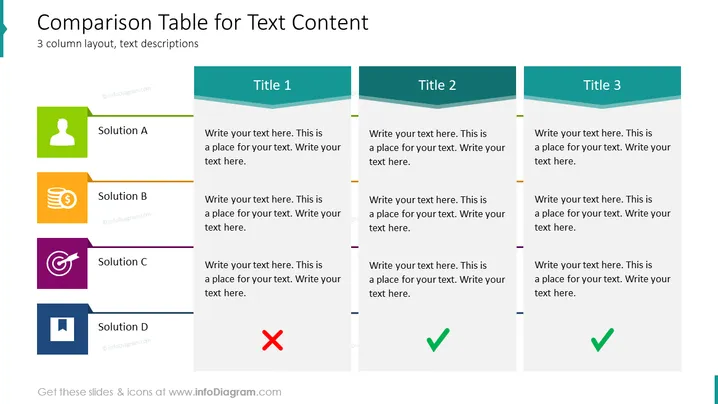
Die Folie "Vergleichstabelle für Textinhalte" präsentiert ein Layout mit drei Spalten zum Vergleichen verschiedener Textbeschreibungen. Jede Spalte stellt eine einzigartige Lösung oder Kategorie dar—A, B und D—nebst Platzhaltern für zusätzlichen Text. Lösung A scheint der Standard oder Ausgangspunkt zu sein; Lösung B könnte sich auf eine finanziell fokussierte Option beziehen, angesichts des Münzstapel-Icons; Lösung C verwendet ein Ziel, um möglicherweise eine zielorientierte Lösung zu kennzeichnen; und Lösung D, markiert mit einem Kreuz, deutet darauf hin, dass es sich um eine abgelehnt oder weniger favorisierte Option handeln könnte.
Das Gesamtdesign ist modern und minimalistisch, mit der Verwendung einfacher Formen und kontrastierender Farben, um die Aufmerksamkeit des Betrachters auf den Vergleich der Lösungen zu lenken. Die Icons sind markant, aber einfach, was eine schnelle Auffassung erleichtert.



