
Reviews
Ihre Grafiken verleihen meinen Präsentationen eine nette Note, und ich habe sie kürzlich für eines meiner All-Hands-Meetings verwendet. Ihre Toolbox verleiht meinen Folien Professionalität, anstatt Standard-Clipart zu verwenden.
Ich brauchte einen neuen Blick auf einige meiner Folien. Ich habe versucht, einen Weg zu finden, einen Pinselschlag-Effekt zu erzielen, um zu unterstreichen, hervorzuheben, Farbe hinzuzufügen, und die handgeschriebenen Markierungen waren genau das Richtige. Sehr einfach zu bedienen, leicht in der Größe zu ändern, die Farbe zu ändern. Es war eine erschwingliche, perfekte Lösung und ich empfehle sie gerne weiter.
Die klare, saubere Optik der Grafiken und die Tatsache, dass ich die Farben leicht bearbeiten und an die Vorlage anpassen konnte, war mein Hauptgrund für den Kauf.
Description
Your sample text here
Slide Content
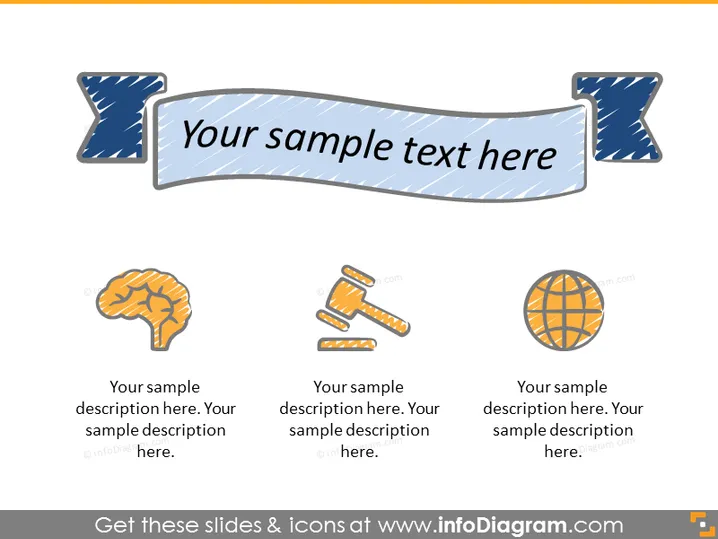
The PowerPoint slide appears to be a template for showcasing different concepts or topics. There are three sets of graphics, each paired with a space for a description. Each graphic symbolizes a distinct concept, and they are arranged to draw the audience's attention to the central idea represented by the slide title.
Graphical Look
- The slide background is plain white, providing a neutral canvas for the content.
- A central ribbon banner with the text "Your sample text here" acts as the slide's title.
- There are three stylized icons, evenly spaced below the banner:
- The first icon represents a human brain, suggesting themes of thought, intelligence, or psychology.
- The second icon depicts a hammer and nails, possibly denoting construction, craftsmanship, or manual work.
- The third icon is a globe, indicating international or global topics.
- Each icon is followed by two lines of placeholder text for descriptions.
- The icons and the ribbon banner have a hand-drawn, sketch-like quality.
The slide has a simple and clean aesthetic with hand-drawn elements that add a touch of informality and creativity. The layout is balanced, with the ribbon banner drawing focus while the icons provide visual cues for the content.
Use Cases
- Introducing the main sections or themes of a presentation, where each icon represents a different topic.
- Summarizing key areas of focus for a business strategy or educational material.
- Highlighting the core services or competencies of a company.
- Using as an agenda slide to outline a meeting or workshop's activities.
How to Edit
How to edit text & colors

How to expand / shorten diagram

How to Replace Icons in infoDiagram PPT


